LogoSeedance 2.1
HomeAssetsAI VideoAI Image
LogoSeedance 2.1
0/5000
5s
4s15s

History

View history

Sign in to save generations

Your results, prompts, and task status will appear here while the generator works.

Seedance 2.1 AI Video Generator: Add Motion, Camera, and Sound

Hand it a prompt, a photo, a first-and-last frame, or a reference clip — Seedance 2.1 returns a cinematic clip up to 4K and 30 seconds, with native audio and characters that stay consistent shot to shot.
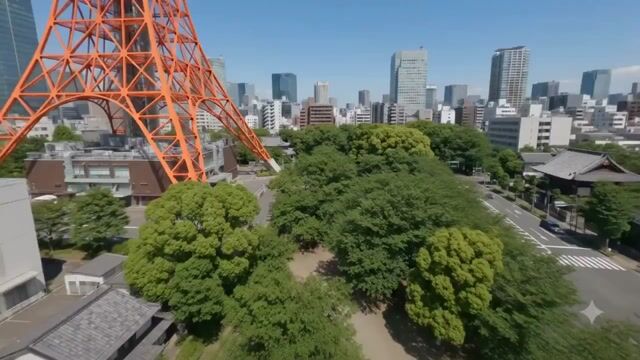
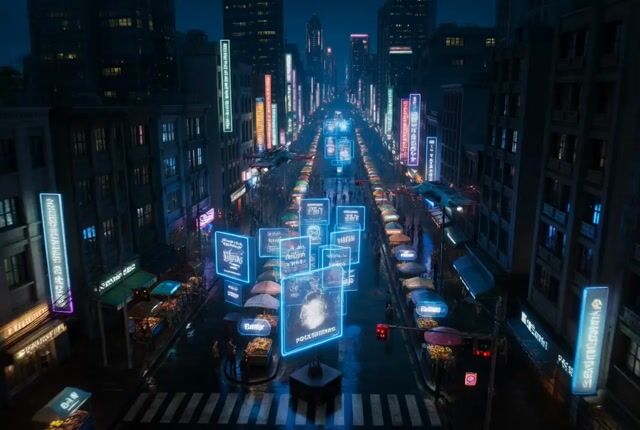
Showing transformation 1 of 4: Fly a first-person camera fast and low over a glowing map, the route lighting up beneath you, smooth cinematic banking.
Seedance 2.1 AI video generator example: FPV map flight
Source Image
Source Image: Fly a first-person camera fast and low over a glowing map, the route lighting up beneath you, smooth cinematic banking.
Seedance 2.1 Video
Seedance 2.1 Video: Fly a first-person camera fast and low over a glowing map, the route lighting up beneath you, smooth cinematic banking.
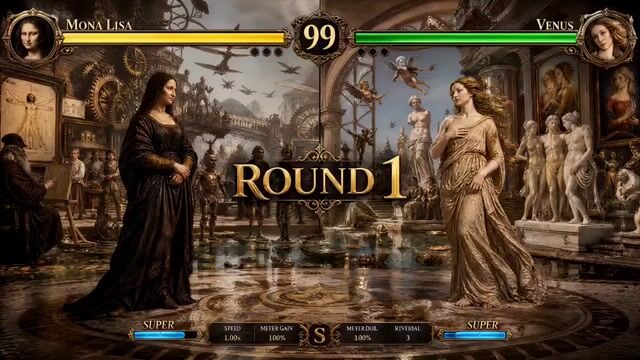
Seedance 2.1 AI video generator example: classical artwork animated into action
Source Image
Source Image: Wake a classical painting into a stylized action intro — the figure moves, the camera cuts on impact, dramatic light snaps in.
Seedance 2.1 Video
Seedance 2.1 Video: Wake a classical painting into a stylized action intro — the figure moves, the camera cuts on impact, dramatic light snaps in.
Seedance 2.1 AI video generator example: cyberpunk neon chase
Source Image
Source Image: Track a cyberpunk runner through neon-soaked streets, reflections sliding across wet asphalt, relentless chase energy.
Seedance 2.1 Video
Seedance 2.1 Video: Track a cyberpunk runner through neon-soaked streets, reflections sliding across wet asphalt, relentless chase energy.
Seedance 2.1 AI video generator example: glowing flowers in soft light
Source Image
Source Image: Drift across glowing flowers in soft haze, light pulsing gently, slow parallax for a calm, scroll-stopping loop.
Seedance 2.1 Video
Seedance 2.1 Video: Drift across glowing flowers in soft haze, light pulsing gently, slow parallax for a calm, scroll-stopping loop.
Prompt
Fly a first-person camera fast and low over a glowing map, the route lighting up beneath you, smooth cinematic banking.

Three Steps to Your First Clip

Pick what you have, describe the motion, and render. Every setting — ratio, resolution, length, model, and credit cost — stays in view before anything renders.

Seedance 2.1 workflow showing input, prompt, and a generated video preview
  1. Step 1: Pick your starting point

    Text, a photo, a first-and-last frame, or a reference clip — choose what you actually have and the form adapts to match.

  2. Step 2: Direct the shot

    Spell out the subject, the action, the camera move, and the mood, then set ratio, resolution, and length. The clearer the brief, the closer the result.

  3. Step 3: Preview and ship

    Watch the clip in your workspace, download it in up to 4K, and give the details a last look before it goes live.

Make a video

What Seedance 2.1 Brings to Every Render

Four inputs, native sound, channel-ready formats, and no surprise bills — Seedance 2.1 is built for real production, not demos.

Four ways in, one studio

Start from text for a fresh idea, a photo for a known subject, a frame pair for a clean transition, or a reference clip when the motion and camera move have to carry forward.

Make a video

Native audio, in one pass

Generate picture and sound together — Seedance 2.1 matches ambience and motion to the action, so you skip the round-trip through a separate audio tool.

Make a video

Built for every feed

Pick vertical, square, or wide and the exact resolution before you render — match Reels, Shorts, TikTok, or a landing page from the start instead of cropping later.

Make a video

No surprise on the bill

See the credit cost before you hit go, get refunded when a render fails, and keep every finished clip in your workspace to preview and download.

Make a video

Put Seedance 2.1 to Work

Creators, growth teams, educators, and artists all reach for the same generator for very different jobs.

Showing content for Creators: Find the hook before you edit

Find the hook before you edit

Generate a few openers or mood directions in minutes, then take only the one that lands into your final cut.

FAQ

Quick answers on inputs, audio, 4K, credits, and using your own footage.

Need help? Email support

Make your first Seedance 2.1 video

Bring a prompt, a photo, or a clip, see the credit cost up front, and render cinematic video up to 4K and 30 seconds. Failed renders are refunded.

Make a video
LogoSeedance 2.1

Create cinematic AI videos with Seedance 2.1 — turn prompts, images, and reference clips into social videos, product ads, and explainers.

Product
  • Home
  • AI Image
  • AI Video
  • Pricing
Company
  • Contact
Legal
  • Cookie Policy
  • Privacy Policy
  • Terms of Service
  • Refund Policy
© 2026 seedance21.org. All Rights Reserved.